동일 동작, 새로운 각도 재촬영
Re-shoot your clip from new camera angles, same action
Wan 3.0Video edithardcutcloseuphighwidetrackingotsbirdseyeinsert
결과
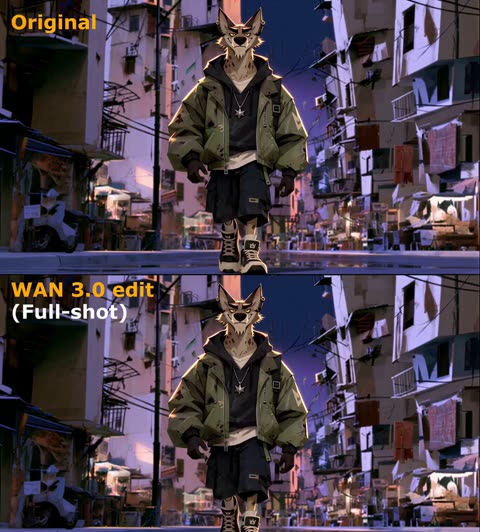
제작 · Framer_X · 영상과 장면의 저작권은 제작자에게 있으며, 원작 주소에서 불러옵니다. 원작 보기
동일한 동작을 새로운 카메라 각도로 다시 촬영한 영상
프롬프트 원문
STEP 1: Upload your video (must be continuous one shot) to any platform that supports WAN 3.0

STEP 2: Use the prompt below (adjust it to your video):

"Use the original video @ TAG ORIGINAL VIDEO as the exact action reference

0–1s: Camera stays exactly as in the original video as the wolf walks toward the scooter.

1–3s: Hard cut to a tight front close-up as the wolf continues walking toward and reaches the scooter.

3–5s: Hard cut to a high angle above as the wolf as he gets onto the scooter and starts riding.

5–7s: Hard cut to a full shot as the wolf rides the scooter down the street.

7–9s: Hard cut to a side tracking shot as he keeps riding down the street.

9-10s: Hard cut to an over the shoulder shot as he rides forward and notices the banana peel in his path.

10–12s: hard cut to a birds eye view shot as the fallen wolf is rolling over the asphalt.

12-13s : hard cut to an insert shot of his fist as wolf slams it into the asphalt.

Only the camera angle and framing change. Make sure every action, movement, timing and performance exactly identical to the original video @ TAG ORIGINAL VIDEO. The action continues seamlessly across every cut."

NOTE: If some scenes didn't work (action was different than original video) simply regenerate the video, that usually fixes the problem.
모음 출처 · github.com