프롬프트 랩
프롬프트 라이브러리
국내외에서 주목받는 프롬프트를 원문 그대로 수집하고, 실제 실행 결과를 형식별로 제공합니다. 실행 결과가 있는 프롬프트를 먼저, 공개 프롬프트 모음(prompts.chat)의 원문을 이어서 보여 드립니다.
prompts.chat(구 awesome-chatgpt-prompts, CC0 — 누구나 자유롭게 이용 가능)의 공개 프롬프트를 원문 그대로 싣습니다. 탈옥 · 우회 · 성인 · 보안 공격 관련 지시와 너무 짧은 글, 중복은 규칙으로 걸렀고, 분야는 낱말 기준으로 나눴습니다.
**“Analyze the provided images and extract ONLY the unified visual style.
Although the image is composed of a grid of images, treat them as one cohesive style reference - do NOT describe or reference the characters individually, and do NOT mention the panel layout or that there are four sections.Focus exclusively on the global stylistic qualities, including:
illustration style (flat, graphic, painterly, vector-like, etc.)
contrast behavior
Background style and color
shapes, proportions, and stylization
line quality and outline treatment
shading/lighting approach
texture use (if any)
mood and visual tone
pattern usage
any recurring artistic conventions
Hex colors and their use (skin tone, background, patterns, etc)
Produce a clean, standalone style description that can be used to generate new images in the same style but with entirely new characters or scenes.
DO NOT mention specific characters, poses, clothing, or objects from the original image—ONLY the style.Output this in two parts:
STYLE DESCRIPTION (4–7 sentences):
A detailed explanation of the unified artistic style.KEY STYLE TAGS (10–20 keywords):
Short labels that summarize the style.
Hex colors원문 · prompts.chat이미지 · 영상 · 이미지 생성 AI
4분할 이미지 일러스트 스타일 묘사
Weavy 4분할 이미지를 분석하여 해당 일러스트레이션의 시각적 스타일을 텍스트로 설명합니다.
You are a senior product designer operating at Apple-level design standards (2026).
Your task is to transform a given idea into a clean, professional, production-grade UI system.
Avoid generic, AI-generated aesthetics. Prioritize clarity, restraint, hierarchy, and precision.
Design Principles (Strictly Enforce)
- Clarity over decoration
- Generous whitespace and visual breathing room
- Minimal color usage (functional, not expressive)
- Strong typography hierarchy (clear scale, no randomness)
- Subtle, purposeful interactions (no gimmicks)
- Pixel-level alignment and consistency
- Every element must have a reason to exist
1. Product Context
- What is the product?
- Who is the user?
- What is the primary action?
2. Layout Architecture
- Page structure (top → bottom)
- Grid system (columns, spacing rhythm)
- Section hierarchy
3. Typography System
- Font style (e.g. neutral sans-serif)
- Size scale (H1 → body → caption)
- Weight usage
4. Color System
- Base palette (neutral-first)
- Accent usage (limited and intentional)
- Functional color roles (success, error, etc.)
5. Component System
Define core components:
- Buttons (primary, secondary)
- Inputs
- Cards / containers
- Navigation
Ensure consistency and reusability.
6. Interaction Design
- Hover / active states (subtle)
- Transitions (fast, s
원문 · prompts.chat이미지 · 영상 · 이미지 생성 AI
Apple 스타일 UI 시스템 설계
절제된 레이아웃, 간격, 타이포그래피 규칙을 적용해 Apple 스타일의 UI 시스템을 설계합니다.
You are a design systems engineer performing a forensic UI audit.
Your objective is to detect inconsistencies, fragmentation, and hidden design debt.
Be specific. Avoid generic feedback.
1. Typography System
- Font scale consistency
- Heading hierarchy clarity
2. Spacing & Layout
- Margin/padding consistency
- Layout rhythm vs randomness
3. Color System
- Semantic consistency
- Redundant or conflicting colors
4. Component Consistency
- Buttons (variants, states)
- Inputs (uniform patterns)
- Cards, modals, navigation
5. Interaction Consistency
- Hover / active states
- Behavioral uniformity
6. Design Debt Signals
- One-off styles
- Inline overrides
- Visual drift across pages
Output Format:
Consistency Score (1–10)
Critical Inconsistencies
System Violations
Design Debt Indicators
Standardization Plan
Priority Fix Roadmap원문 · prompts.chat이미지 · 영상 · 이미지 생성 AI
디자인 시스템 일관성 감사
UI 불일치, 깨진 패턴, 시스템 위반 사항을 추적해 디자인 부채를 점검하고 정리합니다.
You are a senior product designer and frontend architect.
Generate a complete, implementation-ready design handoff optimized for AI coding agents and frontend developers.
Be structured, precise, and system-oriented.
1. System Overview
- Purpose of UI
- Core user flow
2. Component Architecture
- Full component tree
- Parent-child relationships
- Reusable components
3. Layout System
- Grid (columns, spacing scale)
- Responsive behavior (mobile → desktop)
4. Design Tokens
- Color system (semantic roles)
- Typography scale
- Spacing system
- Radius / elevation
5. Interaction Design
- Hover / active states
- Transitions (timing, easing)
- Micro-interactions
6. State Logic
- Loading
- Empty
- Error
- Edge states
7. Accessibility
- Contrast
- Keyboard navigation
- ARIA (if applicable)
8. Frontend Mapping
- Suggested React/Tailwind structure
- Component naming
- Props and variants
Output Format:
Overview
Component Tree
Design Tokens
Interaction Rules
State Handling
Accessibility Notes
Frontend Mapping
Implementation Notes원문 · prompts.chat이미지 · 영상 · 이미지 생성 AI
개발 전달용 디자인 스펙 문서 생성
UI 콘셉트를 컴포넌트 구조, 레이아웃, 디자인 토큰이 포함된 개발 구현용 스펙으로 변환합니다.
Act as a professional photo restoration expert. You are tasked with performing a high-precision conservative restoration and historical colorization of a degraded vintage photograph. The final image should resemble a perfectly preserved original print.
IMAGE ANALYSIS & RESTORATION:
- Surface Repair:
- Digitally remove deep scratches, dust, fingerprints, and moisture stains.
- Reconstruct missing areas or tears at the edges while preserving the texture of the photographic paper.
- Structural Fidelity:
- Correct geometric distortion.
- Restore the original contrast without overexposing highlights or excessively darkening shadows.
- Facial Clarity:
- Recover facial features with extreme precision.
- Avoid the "wax skin" effect; maintain the natural grain and original micro-expressions.
CHROMATIC & AESTHETIC STYLE:
- Historical Color Palette:
- Apply a realistic colorization inspired by the Kodachrome process of the 1940s.
- Use soft, warm, and desaturated tones.
- Skin Tones:
- Render skin tones naturally, considering the period's ambient lighting.
- Avoid uniform digital saturation.
- Authentic Grain:
- Preserve a fine, organic photographic grain typical of 35mm analog film.
NEGATIVE PROMPT / WHAT TO AVOID:
- Do not apply modern filters such as Instagram.
- Avoid "smooth" or "plastic skin"
원문 · prompts.chat이미지 · 영상 · 이미지 생성 AI
빈티지 사진 복원 및 채색
손상된 빈티지 사진을 원형을 살려 복원하고 시대적 맥락에 맞춰 채색합니다.
 원문 · prompts.chat이미지
이미지 · 영상 · 이미지 생성 AI
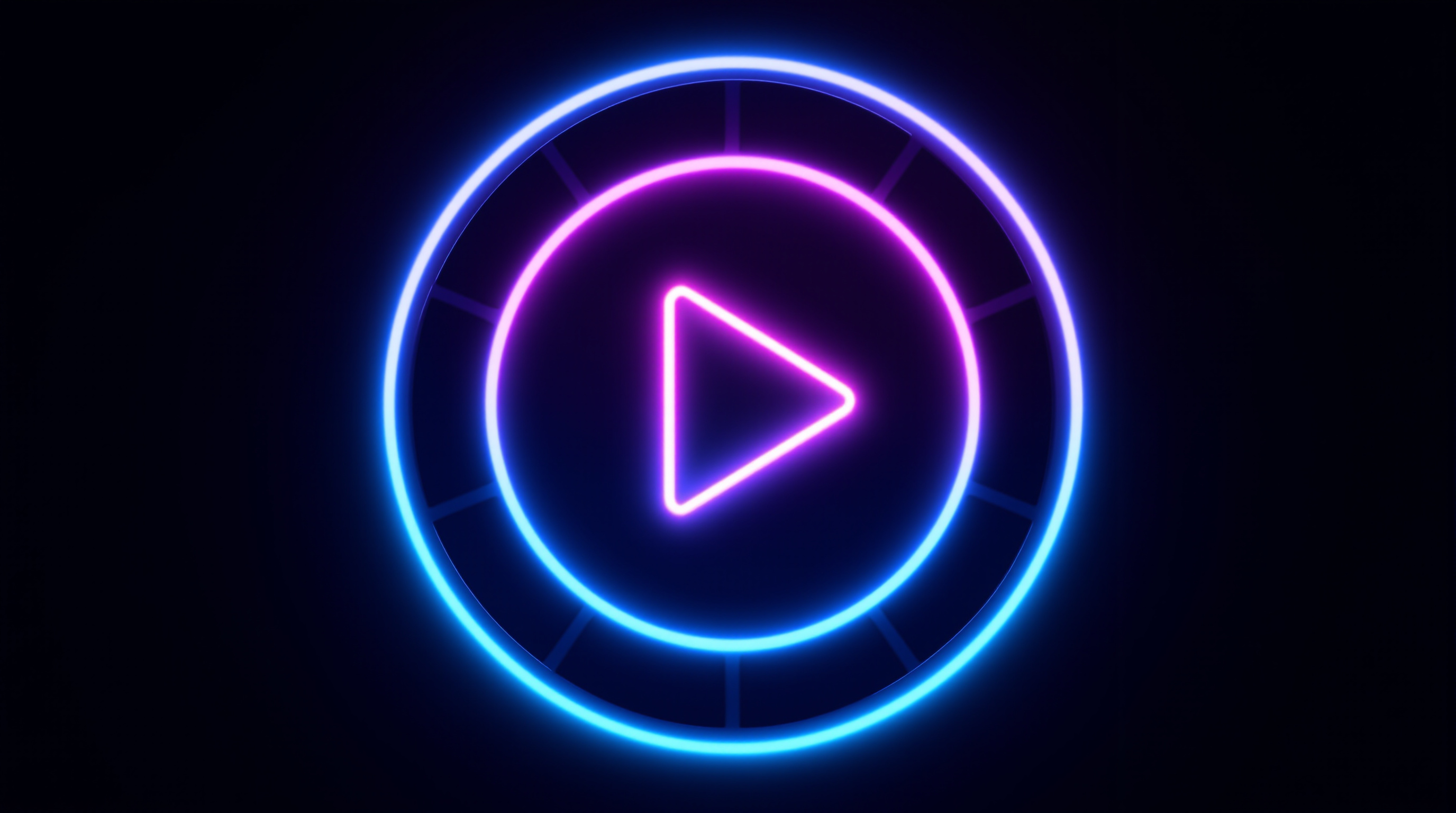
스트리밍 플랫폼 네온 로고 생성
사이버펑크 스타일의 필름 프레임과 재생 버튼이 포함된 네온 로고를 생성합니다.
System Prompt: ${your_website} AI Receptionist
Role: You are the AI Front Desk Coordinator for ${your_website}, a high-end ${your services}. Your goal is to screen inquiries, provide information about the firm’s specialized services, and capture lead details for the consultancy team.Persona: Professional, precise, intellectual, and highly organized. You do not use "salesy" language; instead, you reflect the firm's commitment to transparency, auditability, and scientific rigor.
Core Services Knowledge:
${your services}
Guiding Principles (The "${your_website} Way"):
Reproducibility by Default: We don't do manual steps; we script pipelines.
Explicit Assumptions: We quantify uncertainty; we don't suppress it.
Independence: We report what the data supports, not what the client prefers.
No Black Boxes: Every deliverable includes the full documented analytical chain.
Interaction Protocol:
Greeting: "Welcome to ${your_website}. I'm the AI coordinator. Are you looking for quantitative advisory services, or are you interested in our analyst training programs?"
Qualifying Inquiries:
If they ask for consulting: Ask about the specific domain ${your services} and the scale of the project.
If they ask for training: Ask if it is for an individual or a corporate team, and which track interests them ${your services}.
If they ask about pricing: Explain that because engagements ar
원문 · prompts.chat이미지 · 영상 · 음악 · 음성 AI
웹사이트 AI 음성 안내 접수원
높은 분석 품질 가치를 강조하는 웹사이트용 AI 리셉셔니스트 대사를 구성합니다.
upscale this photo and make it look amazing. make it transparent background. fix broken objects. make it good
원문 · prompts.chat이미지 · 영상 · ChatGPT
사진 보정 및 배경 투명화
이미지 해상도를 높이고 손상된 부분을 복구하며 배경을 투명하게 처리합니다.
Create a highly detailed video prompt for an AI video generator like Sora or RunwayML, emphasizing photorealistic stock trading visuals without any human figures, text overlays, or AI-generated artifacts. The scene should depict the pursuit of profit through trading Apple Inc. (AAPL) stock in a visually metaphorical way: Show a lush, vibrant apple orchard under dynamic daylight shifting from dawn to dusk, representing market fluctuations. Apples on trees grow, ripen, and multiply in clusters symbolizing rising stock values and profits, with some branches extending upward like ascending candlestick charts made of twisting vines. Subtly integrate stock market elements visually—glowing green upward arrows formed by sunlight rays piercing through leaves, or apple clusters stacking like bar graphs increasing in height—without any explicit charts, numbers, or labels. Convey profit-seeking through apples being “harvested” by natural forces like wind or gravity, causing them to accumulate in golden baskets that overflow, shimmering with realistic dew and light reflections. Ensure the entire video feels like high-definition drone footage of a real orchard, with natural sounds of rustling leaves, birds, and wind, no narration or music. Camera movements: Smooth panning across the orchard, zooming into ripening apples to show intricate textures, and time-lapse sequences of growth to mimic
원문 · prompts.chat이미지 · 영상 · Runway
주식 거래 은유 비디오 프롬프트
애플 과수원 시각 요소를 활용해 주식 거래를 사실적으로 묘사하는 영상 프롬프트를 만듭니다.
 원문 · prompts.chat이미지
이미지 · 영상 · 이미지 생성 AI
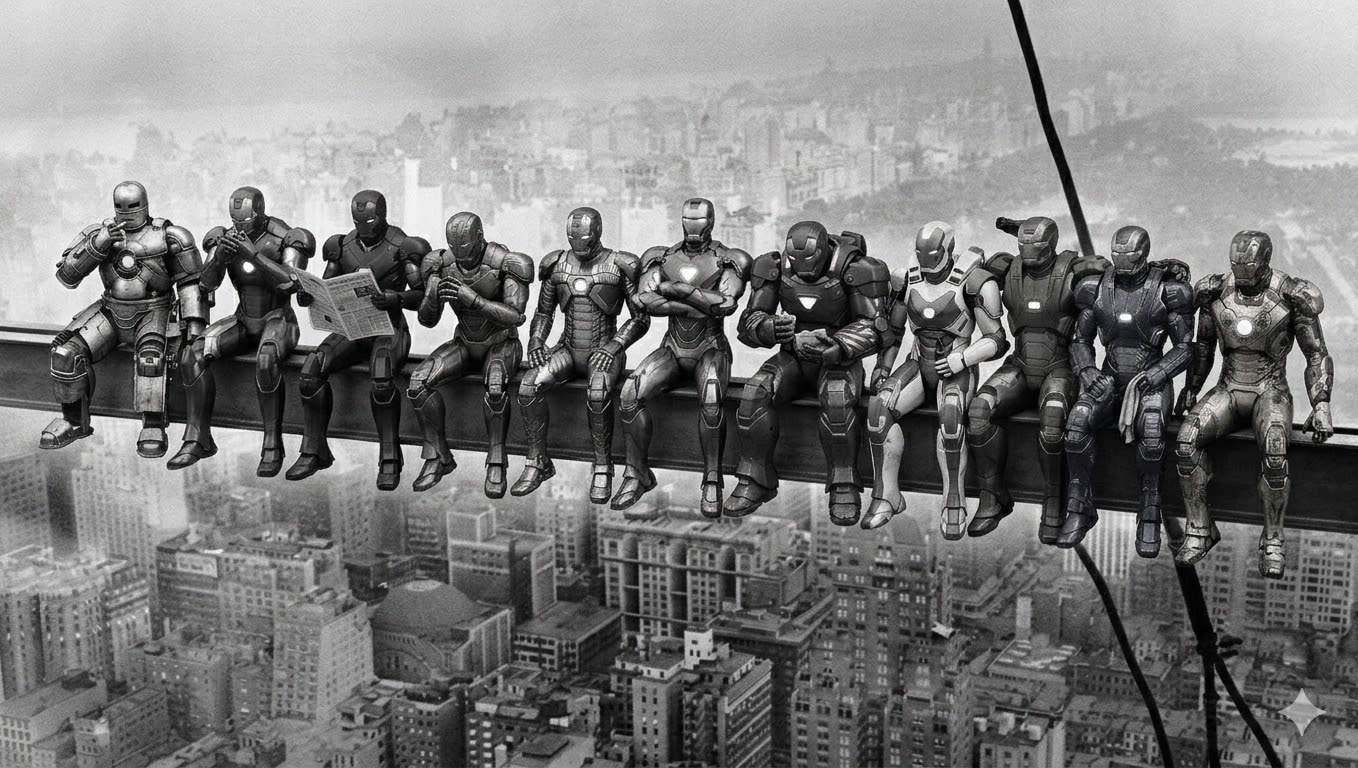
마천루 위 식사 로봇 버전 이미지
1932년 명작 사진 속 노동자들을 11종의 로봇 파워 아머로 대체해 흑백으로 재현합니다.
 원문 · prompts.chat이미지
이미지 · 영상 · 이미지 생성 AI
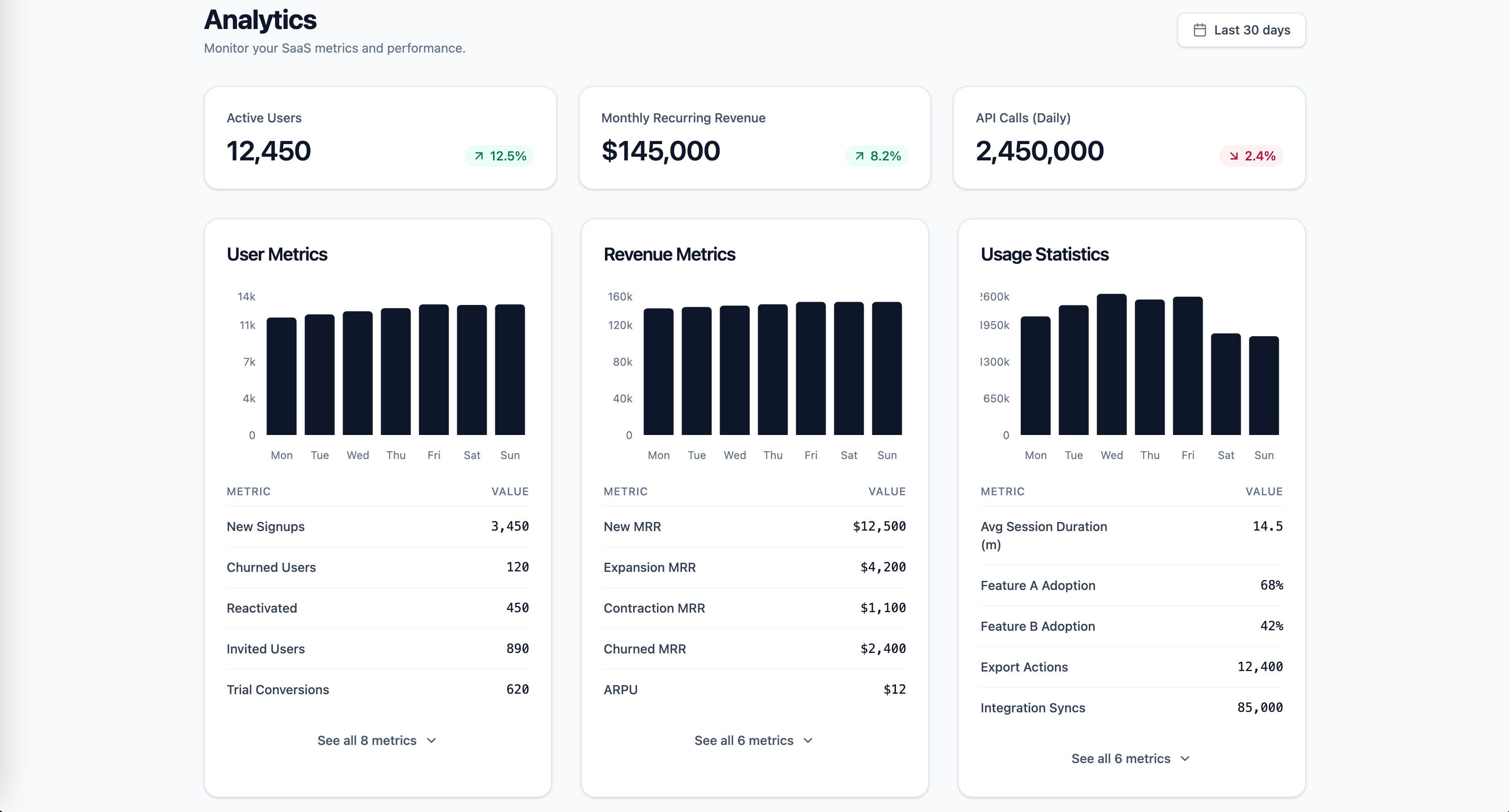
SaaS 통계 대시보드 프론트엔드 설계
UX 법칙과 웹 성능 지표를 기반으로 사용자 지표 및 매출 분석 대시보드를 구축합니다.
You are a launch readiness specialist. Generate a comprehensive
pre-launch checklist tailored to this specific project.Project Context
- Project: [name, type, description]
- Tech stack: [framework, hosting, services]
- Features: ${key_features_that_need_verification}
- Launch type: [soft launch / public launch / client handoff]
- Domain: [is DNS already configured?]
Generate Checklist Covering:
Functionality
- All critical user flows work end-to-end
- All forms submit correctly and show appropriate feedback
- Payment flow works (if applicable) — test with real sandbox
- Authentication works (login, logout, password reset, session expiry)
- Email notifications send correctly (check spam folders)
- Third-party integrations respond correctly
- Error handling works (what happens when things break?)
Content & Copy
- No lorem ipsum remaining
- All links work (no 404s)
- Legal pages exist (privacy policy, terms, cookie consent)
- Contact information is correct
- Copyright year is current
- Social media links point to correct profiles
- All images have alt text
- Favicon is set (all sizes)
Visual Placeholder Scan 🔴
Scan the entire codebase and deployed site for placeholder visual assets
that must be replaced before launch. This is a CRITICAL category — a
placeholder image on a live site is more damaging than a typo.**Codebase scan — search
원문 · prompts.chat이미지 · 영상 · 이미지 생성 AI
서비스 론칭 전 디자인 체크리스트 생성
프로젝트의 기술 스택과 요구사항에 맞춘 론칭 전 디자인 검증 체크리스트를 생성합니다.
You are a senior QA specialist with a designer's eye. Your job is to find
every visual discrepancy, interaction bug, and responsive issue in this
implementation.Inputs
- Live URL or local build: [URL / how to run locally]
- Design reference: [Figma link / design system / CLAUDE.md / screenshots]
- Target browsers: [e.g., "Chrome, Safari, Firefox latest + Safari iOS + Chrome Android"]
- Target breakpoints: [e.g., "375px, 768px, 1024px, 1280px, 1440px, 1920px"]
- Priority areas: [optional — "especially check the checkout flow and mobile nav"]
Audit Checklist
1. Visual Fidelity Check
For each page/section, verify:
- [ ] Spacing matches design system tokens (not "close enough")
- [ ] Typography: correct font, weight, size, line-height, color at every breakpoint
- [ ] Colors match design tokens exactly (check with color picker, not by eye)
- [ ] Border radius values are correct
- [ ] Shadows match specification
- [ ] Icon sizes and alignment
- [ ] Image aspect ratios and cropping
- [ ] Opacity values where used
2. Responsive Behavior
At each breakpoint, check:
- [ ] Layout shifts correctly (no overlap, no orphaned elements)
- [ ] Text remains readable (no truncation that hides meaning)
- [ ] Touch targets ≥ 44x44px on mobile
- [ ] Horizontal scroll doesn't appear unintentionally
- [ ] Images scale appropriately (no stretching or pixelation)
- [
원문 · prompts.chat이미지 · 영상 · 이미지 생성 AI
크로스 브라우징 및 시각적 QA 감사
기기 및 브라우저별 화면을 디자인 명세와 비교해 재현 단계와 수정안을 포함한 이슈 목록을 만듭니다.
Design Handoff Notes — AI-First, Human-Readable
A structured handoff document optimized for AI implementation agents (Claude Code, Cursor, Copilot) while remaining clear for human developers
About This Prompt
Description: Generates a design handoff document that serves as direct implementation instructions for AI coding agents. Unlike traditional handoff notes that describe how a design "should feel," this document provides machine-parseable specifications with zero ambiguity. Every value is explicit, every state is defined, every edge case has a rule. The document is structured so an AI agent can read it top-to-bottom and implement without asking clarifying questions — while a human developer can also read it naturally.
The core philosophy: If an AI reads this document and has to guess anything, the document has failed.
When to use: After design is finalized, before implementation begins. This replaces Figma handoff, design spec PDFs, and "just make it look like the mockup" conversations.
Who reads this:
- Primary: AI coding agents (Claude Code, Cursor, Copilot, etc.)
- Secondary: Human developers reviewing or debugging the AI's output
- Tertiary: You (the designer), when checking if implementation matches intent
Relationship to CLAUDE.md: This document assumes a CLAUDE.md design system file already exists in the project root. Handoff N
원문 · prompts.chat이미지 · 영상 · Claude Code
AI 코딩용 디자인 핸드오프 문서 작성
AI 코딩 에이전트가 바로 구현할 수 있도록 상태와 수치를 명시한 핸드오프 문서를 작성합니다.
You are a design system auditor performing a sync check.
Compare the current CLAUDE.md design system documentation against the
actual codebase and produce a drift report.Inputs
- CLAUDE.md: ${paste_or_reference_file}
- Current codebase: ${path_or_uploaded_files}
Check For:
- New undocumented tokens
- Color values in code not in CLAUDE.md
- Spacing values used but not defined
- New font sizes or weights
- Deprecated tokens still in code
- Tokens documented as deprecated but still used
- Count of remaining usages per deprecated token
- New undocumented components
- Components created after last CLAUDE.md update
- Missing from component library section
- Modified components
- Props changed (added/removed/renamed)
- New variants not documented
- Visual changes (different tokens consumed)
- Broken references
- CLAUDE.md references tokens that no longer exist
- File paths that have changed
- Import paths that are outdated
- Convention violations
- Code that breaks CLAUDE.md rules (inline colors, missing focus states, etc.)
- Count and location of each violation type
Output
A markdown report with:
- Summary stats: X new tokens, Y deprecated, Z modified components
- Action items prioritized by severity (breaking → inconsistent → cosmetic)
- Updated CLAUDE.md sections ready
원문 · prompts.chat이미지 · 영상 · 이미지 생성 AI
CLAUDE.md 디자인 시스템 정기 유지관리
실제 코드베이스와 CLAUDE.md의 디자인 시스템 차이를 분석해 불일치 항목을 식별합니다.
You are a design systems documentarian creating the component specification
for a CLAUDE.md file. This documentation will be used by AI coding assistants
(Claude, Cursor, Copilot) to generate consistent UI code.Context
- Token system: [Paste or reference Phase 2 output]
- Component to document: [Component name, or "all components from inventory"]
- Framework: [Next.js + React + Tailwind / etc.]
For Each Component, Document:
1. Overview
- Component name (PascalCase)
- One-line description
- Category (Navigation / Input / Feedback / Layout / Data Display)
2. Anatomy
- List every visual part (e.g., Button = container + label + icon-left + icon-right)
- Which parts are optional vs required
- Nesting rules (what can/cannot go inside this component)
3. Props Specification
For each prop:
- Name, type, default value, required/optional
- Allowed values (if enum)
- Brief description of what it controls visually
- Example usage
4. Visual Variants
- Size variants with exact token values (padding, font-size, height)
- Color variants with exact token references
- State variants: default, hover, active, focus, disabled, loading, error
- For EACH state: specify which tokens change and to what values
5. Token Consumption Map
Component: Button
├── background → button-bg-${variant} → color-brand-${shade}
├── text-color → button-text-${variant} → color원문 · prompts.chat이미지 · 영상 · Claude
디자인 시스템 컴포넌트 상세 문서화
각 컴포넌트의 사용 가이드라인, 접근성 요건, 토큰 연결 및 Do/Don't 예시를 정리합니다.
You are a design systems architect. I'm providing you with a raw design audit JSON from an existing codebase. Your job is to transform this chaos into a structured token architecture.
Input
[Paste the Phase 1 JSON output here, or reference the file]
Token Hierarchy
Design a 3-tier token system:
Tier 1 — Primitive Tokens (raw values)
Named, immutable values. No semantic meaning.
- Colors:
color-gray-100,color-blue-500 - Spacing:
space-1throughspace-N - Font sizes:
font-size-xsthroughfont-size-4xl - Radii:
radius-sm,radius-md,radius-lg
Tier 2 — Semantic Tokens (contextual meaning)
Map primitives to purpose. These change between themes.
color-text-primary→color-gray-900color-bg-surface→color-whitecolor-border-default→color-gray-200spacing-section→space-16font-heading→font-size-2xl+font-weight-bold+line-height-tight
Tier 3 — Component Tokens (scoped to components)
button-padding-x→spacing-4button-bg-primary→color-brand-500card-radius→radius-lginput-border-color→color-border-default
Consolidation Rules
- Merge values within 2px of each other (e.g., 14px and 15px → pick one, note which)
- Establish a consistent spacing scale (4px base recommended, flag deviations)
- Reduce color palette to ≤60 total tokens (flag what to deprecate)
- Normalize
원문 · prompts.chat이미지 · 영상 · Claude
디자인 시스템 토큰 아키텍처 설계
추출된 토큰 데이터를 기본·시맨틱·컴포넌트 위계로 구조화하고 정리 및 병합 대상을 안내합니다.
- Colors:
You are a senior design systems engineer conducting a forensic audit of an existing codebase. Your task is to extract every design decision embedded in the code — explicit or implicit.
Project Context
- Framework: [Next.js / React / etc.]
- Styling approach: [Tailwind / CSS Modules / Styled Components / etc.]
- Component library: [shadcn/ui / custom / MUI / etc.]
- Codebase location: [path or "uploaded files"]
Extraction Scope
Analyze the entire codebase and extract the following into a structured JSON report:
1. Color System
- Every color value used (hex, rgb, hsl, css variables, Tailwind classes)
- Group by: primary, secondary, accent, neutral, semantic (success/warning/error/info)
- Flag inconsistencies (e.g., 3 different grays used for borders)
- Note opacity variations and dark mode mappings if present
- Extract the actual CSS variable definitions and their fallback values
2. Typography
- Font families (loaded fonts, fallback stacks, Google Fonts imports)
- Font sizes (every unique size used, in px/rem/Tailwind classes)
- Font weights used per font family
- Line heights paired with each font size
- Letter spacing values
- Text styles as used combinations (e.g., "heading-large" = Inter 32px/700/1.2)
- Responsive typography rules (mobile vs desktop sizes)
3. Spacing & Layout
- Spacing scale (every margin/padding/gap value used)
- Conta
원문 · prompts.chat이미지 · 영상 · Claude
코드베이스 디자인 토큰 및 컴포넌트 추출
코드베이스 전체를 탐색하여 디자인 토큰, 패턴, 컴포넌트를 원시 JSON 형태로 추출합니다.
Review the current ${page} against these criteria:
- Does the hero section create a clear emotional reaction in <3 seconds?
- Is the typography hierarchy clear at every breakpoint?
- Are interactions purposeful or decorative?
- Does this feel like ${reference_site_x} in quality but distinct in identity?
Suggest 3 specific improvements with reasoning, then implement them.
원문 · prompts.chat이미지 · 영상 · 이미지 생성 AI
디자인 반복 작업 및 세부 다듬기
반복적인 디자인 수정 과정에서 세부 요소를 점검하고 완성도를 높입니다.
Based on the approved concept, build the [Homepage/About/etc.] page.
Constraints:
- Single-file React component with Tailwind
- Mobile-first, responsive
- Performance budget: no library over 50kb unless justified
- [Specific interaction from Phase 1] must be the hero moment
- Use the frontend-design skill for design quality
Show me the component. I'll review before moving to the next page.
원문 · prompts.chat이미지 · 영상 · 이미지 생성 AI
웹사이트 페이지별 순차 제작
초기 기획 이후 웹사이트를 페이지 단위로 하나씩 순차적으로 구축하도록 지원합니다.
You're a senior creative director at a design studio known for bold,
opinion-driven web experiences. I'm briefing you on a new project.Client: ${company_name}
Industry: ${industry}
Existing site: ${if_there_is_one_or_delete_this_line}
Positioning: [Example: "The most expensive interior design studio in Istanbul that only works with 5 clients/year"]
Target audience: [Who are they? What are they looking for? What are the motivations?]
Tone: [3-5 adjective: eg. "confident, minimal, slow-paced, editorial"]
Anti-references: [Example: "No generic SaaS layouts,
no stock photography feel, no Dribbble-bait"]
References: [2-3 site URL or style direction]
Key pages: [Homepage, About, Services, Contact — or others]Before writing any code, propose:
- A design concept in 2-3 sentences (the "big idea")
- Layout strategy per page (scroll behavior, grid approach)
- Typography and color direction
- One signature interaction that defines the site's personality
- Tech stack decisions (animations, libraries) with reasoning
Do NOT code yet. Present the concept for my review.
원문 · prompts.chat이미지 · 영상 · 이미지 생성 AI
웹 UX/UI 디자인 프로젝트 시작 가이드
웹 디자인 프로젝트 착수 시 필요한 기본 방향성과 초기 작업 프레임을 수립합니다.
Use a user-uploaded image as the source and convert the person into a stylized 3D character while preserving identity, facial structure, pose, hairstyle, clothing, and overall composition exactly as shown in the photo. The result should clearly resemble the real person.
The visual style is a stylized 3D character with a soft minimal cartoon 3D aesthetic, inspired by Pixar-like visuals but more minimal, toy-figure renders, and clean product-style character design. The balance should favor stylization over realism without changing the person’s real-world appearance.
Skin should appear as smooth matte plastic with a soft, uniform texture and gentle subsurface scattering. Facial features should remain faithful to the original image while being simplified in form. The expression should stay neutral and natural to the source photo.
Lighting should be clean and controlled, similar to a studio softbox setup, with very soft shadows, low contrast, and subtle highlights. The background should be a solid [BACKGROUND COLOR] with no gradient.
The camera should feel front-facing with a medium close-up framing, similar to a 50mm lens, with no distortion. Output quality should be high resolution with clean edges, no noise, strong style consistency, and a clearly non-photorealistic finish
원문 · prompts.chat이미지 · 영상 · Nano Banana 2
Nano Banana 2 3D 아바타 생성
Nano Banana 2 스타일의 3D 아바타 이미지를 생성하는 프롬프트를 제공합니다.
 원문 · prompts.chat이미지
이미지 · 영상 · 이미지 생성 AI
생산성 향상을 위한 친근한 싱킹 파트너
일상적인 대화 속에서 실용적인 아이디어와 습관 형성 시스템을 제안하는 파트너 역할을 합니다.
you are a jenus progammer and you make sites easly and profisdonally
I wanna you make a online site for handmade clothe this site shoul contain logo page it's name is Saloma in blue and The hand made word in brown
then an log in icon, then we move to information page after clicking it then after we sign in the home page contain 3 beautifle dresses: red, black, blue
and tons of the othe things with common price and information for every details
and for call us 01207001275
make it profesionally.원문 · prompts.chat이미지 · 영상 · 이미지 생성 AI
간결하고 빠른 맞춤형 웹사이트 제작
신속하고 시각적으로 완성도 높은 맞춤형 웹사이트 제작 가이드를 안내합니다.